stage and rehearsal prep
A parent slate for sharp-reading viola overdubs
Help a student prepare standard CGDA viola for studio overdubs when warm strings start reading sharp.
Short answer
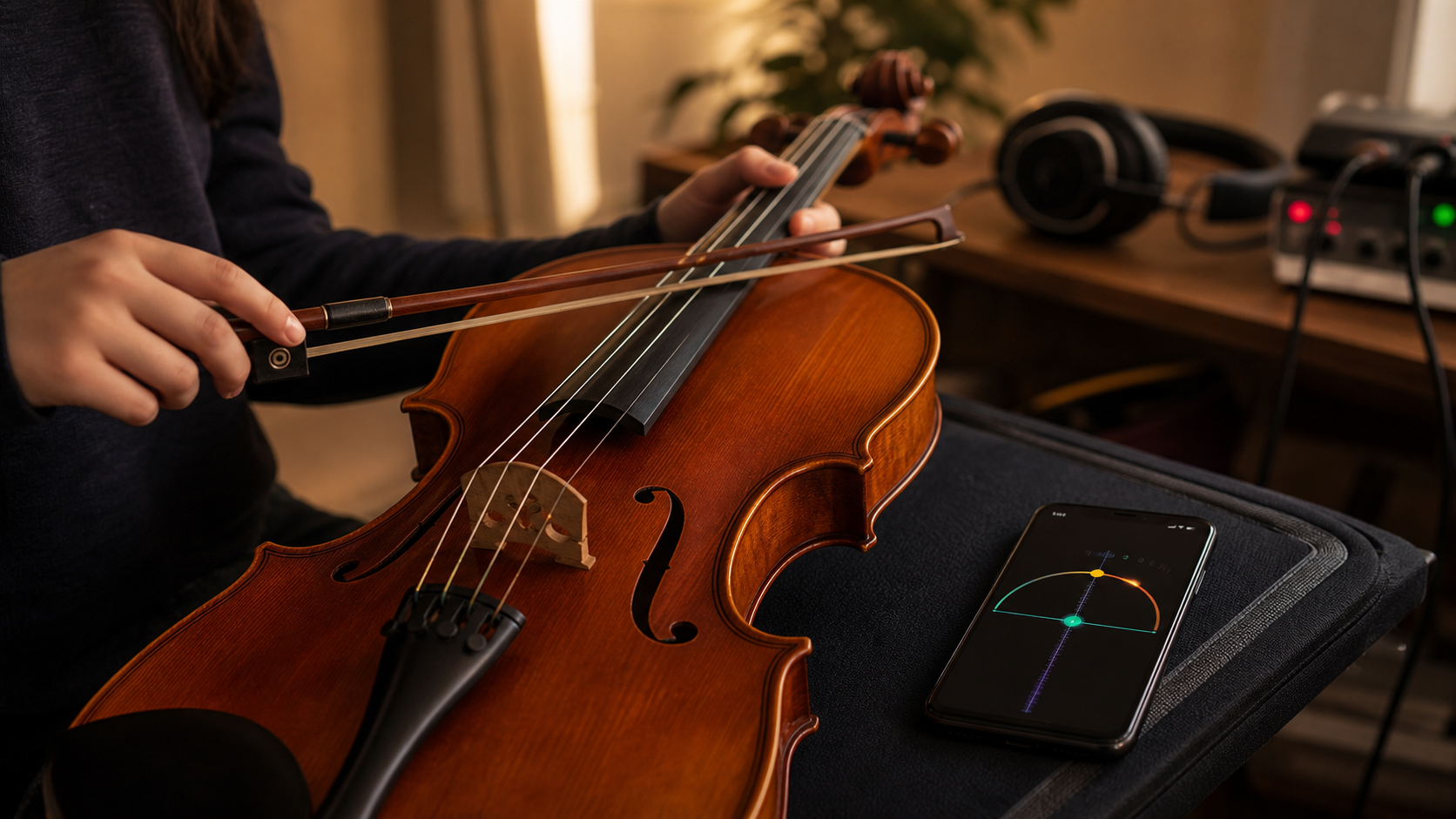
For standard CGDA viola during studio overdubs, parents should confirm C3, G3, D4, and A4, tune one bowed open string at a time, and judge the stable middle of the note after warm-up. If the string reads sharp, first check bow pressure, phone placement, room noise, and whether the guide track uses a different reference before touching the peg. TuneLT can provide local microphone pitch detection for the tuning check, while sharing, store, ads, analytics, and subscription services are separate app services.
The parent job is to make the next take calmer
A student who has just warmed up a viola can walk into an overdub pass with two kinds of pressure. The part needs to sit against material that has already been recorded, and the tuner suddenly says an open string is sharp. A parent standing nearby may not know whether to turn the peg, call the teacher, restart the take, or tell the student to ignore it.
The useful role is smaller and more precise: make a slate for the tuning moment. A slate means the exact target notes, the room condition, the reference pitch, and the decision that will let the student either tune or play. It keeps the session from becoming a nervous argument with a meter.
Standard viola tuning is C3, G3, D4, and A4 from low to high. Before studio overdubs, those open strings matter because the later layer must agree with recorded material, not only sound pleasant by itself. If a warmed-up string reads sharp, the first question is not who made a mistake. The first question is what part of the sound the tuner is hearing.
Write C3 G3 D4 A4 beside the take notes
Put the target notes where the student can see them before the bow is on the string. Low C is C3, then G3, D4, and A4. Many students know the order by habit, but stress changes how people read screens. A visible note row prevents a parent from saying 'the third one' while the student is thinking about the take.
Also write the session reference if anyone has stated it. Most practice rooms assume A440, but a guide track, piano, or ensemble recording may have been captured a little away from that value. If the overdub is meant to match a fixed track, the track becomes part of the tuning problem. A perfectly centered A440 viola can still sound uneasy if the existing material is not centered there.
This is where a parent can help without becoming a repair technician. Ask one clean question: are we matching normal A440, or are we matching the guide? Once the answer is known, every later reading has context. Without that context, a sharp warning on the screen may only be telling you that the session reference has not been named.
- C string: C3.
- G string: G3.
- D string: D4.
- A string: A4.
- Reference: A440 unless the guide track or teacher says otherwise.
Do not judge the attack as the whole note
A viola note is not a flat line. The bow catches, the string speaks, the sound blooms, and only then does the pitch become the note the player will actually record. A tense bow start can flash sharp for a moment, especially on the A string or when the student is trying to play quietly in a room full of equipment.
That matters after warm-up because the student is already physically engaged. The left hand may be tighter, the bow arm may press more, and the instrument may be responding differently after several minutes of playing. The tuner can show the first bite of the sound, but the overdub will be judged by the sustained note and the phrase.
Ask for one slow bowed open string. Let the student play through the start, then watch or listen to the middle of the tone. If the middle settles close to target, the urgent sharp reading may be bow attack rather than open-string tuning. If the middle remains sharp, then a small correction makes sense.
Warm-up can expose friction, not only temperature
Players often talk as if a warm instrument simply goes sharp or flat because the room changed. Real viola behavior is messier. Peg friction, nut friction, fine-tuner travel, string age, bridge angle, and the student's touch can all shape what happens after a few minutes of playing.
A string can read sharp after warm-up because it was tuned while the hand and bow were still cold, then played with more pressure once the student relaxed into the part. It can also read sharp because the string was caught at the nut or bridge and released unevenly during warm-up. Sometimes the pitch only appears sharp because the phone is hearing another source in the room.
Parents should avoid large peg moves at this point. If the open string is truly high, use the smallest correction that returns the settled bowed note to the target. Then play a short phrase against the guide track. The phrase test prevents the family from fixing the screen while damaging the blend.
Place the phone for the viola, not the room
Studio overdubs create odd listening conditions. Headphones leak click, speakers may be low but present, a computer fan can sit near the desk, and another instrument may be resonating in the room. A tuner phone placed on a table may hear the environment before it hears the viola.
Move the phone close enough to the viola to get a direct signal, but not where the bow or hand will hit it. The usual practical spot is near the upper bout or music stand side, aimed at the instrument rather than the monitor speakers. Mute the other strings with the left hand when checking a single open string, especially if sympathetic vibration is making the display jump.
TuneLT is useful here because the tuning check can use local microphone pitch detection on the device. Open the viola setup or the saved session preset, confirm the target note, and check one string at a time. Do not present that as a promise that every app service is offline; optional sharing, links, subscriptions, ads, analytics, and store functions are separate from the microphone pitch-reading task.
- Move the phone before moving the peg.
- Mute strings that are not being checked.
- Bow one open string, not a fragment of the phrase.
- Watch the sustained pitch instead of the first flicker.
Build a fast fallback for a noisy take room
The brief's noisy-stage idea also belongs in studio work. A home studio, school recording room, or backstage capture space may become too loud for a careful check just when the student needs a quick answer. The fallback should be written before that happens.
Use a three-step fallback. First, step away from the speakers or turn the guide track down for ten seconds. Second, check only the string that is causing the sharp reading. Third, test the first bar of the overdub against the track. If the display is unstable but the phrase blends, the parent can mark the string as playable and keep the session moving.
If the phrase does not blend, return to the single-string check and make a small change. This sequence is faster than running all four strings after every warning. It also teaches the student that tuning is a decision about music, not a ritual performed because a device is present.
Save the preset only after the take reference is proven
A standard CGDA viola preset sounds almost too basic to save, but overdubs are about repeatability. If the session uses a particular reference, a named setlist entry or note can help the student return later without guessing what was done. The name should mention the piece, the guide track, or the recording day rather than only 'viola'.
TuneLT supports presets, setlists, QR sharing, Universal Links, Android App Links, and OCR tuning scan workflows that can reduce transcription mistakes when a tuning plan moves between devices. For this parent-led situation, the most important detail is not the technology. It is the moment when saving becomes safe.
Save or share after the student has played a short passage against the track and confirmed that the overdub sits. If the open strings are centered but the phrase still rubs, the cause may be finger spacing, bow contact, or the recorded reference. A saved preset should document a working setup, not freeze an unresolved problem.
A parent cue sheet for the next overdub
Keep this cue sheet beside the recording notes. State the reference: A440 or guide track. State the open strings: C3, G3, D4, A4. Ask for one slow bowed note on the string that read sharp. Listen past the attack. Move the phone if the display jumps. Make only a small correction if the sustained pitch is high.
Then play the first musical phrase, not another isolated note. If the phrase locks with the guide, continue. If the phrase sounds high while the open string is stable, check finger pressure and hand shape. If the open string keeps drifting, look for fine-tuner travel, bridge pull, nut friction, or a peg that is not holding.
The student's confidence is part of the sound. A calm parent routine can make the overdub feel like a normal musical task instead of an emergency. The goal is not to win a fight with the tuner. The goal is to put the viola in a repeatable place, give the student a clear first bar, and record before the room teaches everyone to overthink.
- Name the reference before tuning.
- Check the settled middle of the bowed note.
- Correct only the string that proves sharp.
- Confirm with the guide track before saving or sharing.
- Use the noisy-room fallback when the display becomes unreliable.
Questions this guide answers
Why does a viola string read sharp after warm-up before overdubs?
A sharp reading can come from a true pitch change, but it can also come from bow attack, hand pressure, nut or bridge friction, phone placement, or room noise. Check the sustained part of a bowed open string before turning the peg.
What are the standard CGDA target notes for viola?
Standard viola tuning is C3, G3, D4, and A4 from low to high. Before overdubs, also confirm whether the session follows A440 or an existing guide track.
How can parents help a student tune viola for studio overdubs?
Write the target notes, confirm the reference, place the phone where it hears the viola clearly, ask for one slow bowed string, and use the first phrase against the guide track as the final check.
Where does TuneLT fit in this viola overdub workflow?
TuneLT can show the viola target or saved preset and use local microphone pitch detection for one open string at a time. Use it as a pitch reference, then verify that the student's phrase blends with the recording.