stage and rehearsal prep
Custom violin tuning from a screenshot: the luthier's quiet warm-up check
A quiet warm-up checklist for luthiers turning a screenshot tuning chart into a reliable custom violin tuning before rehearsal begins.
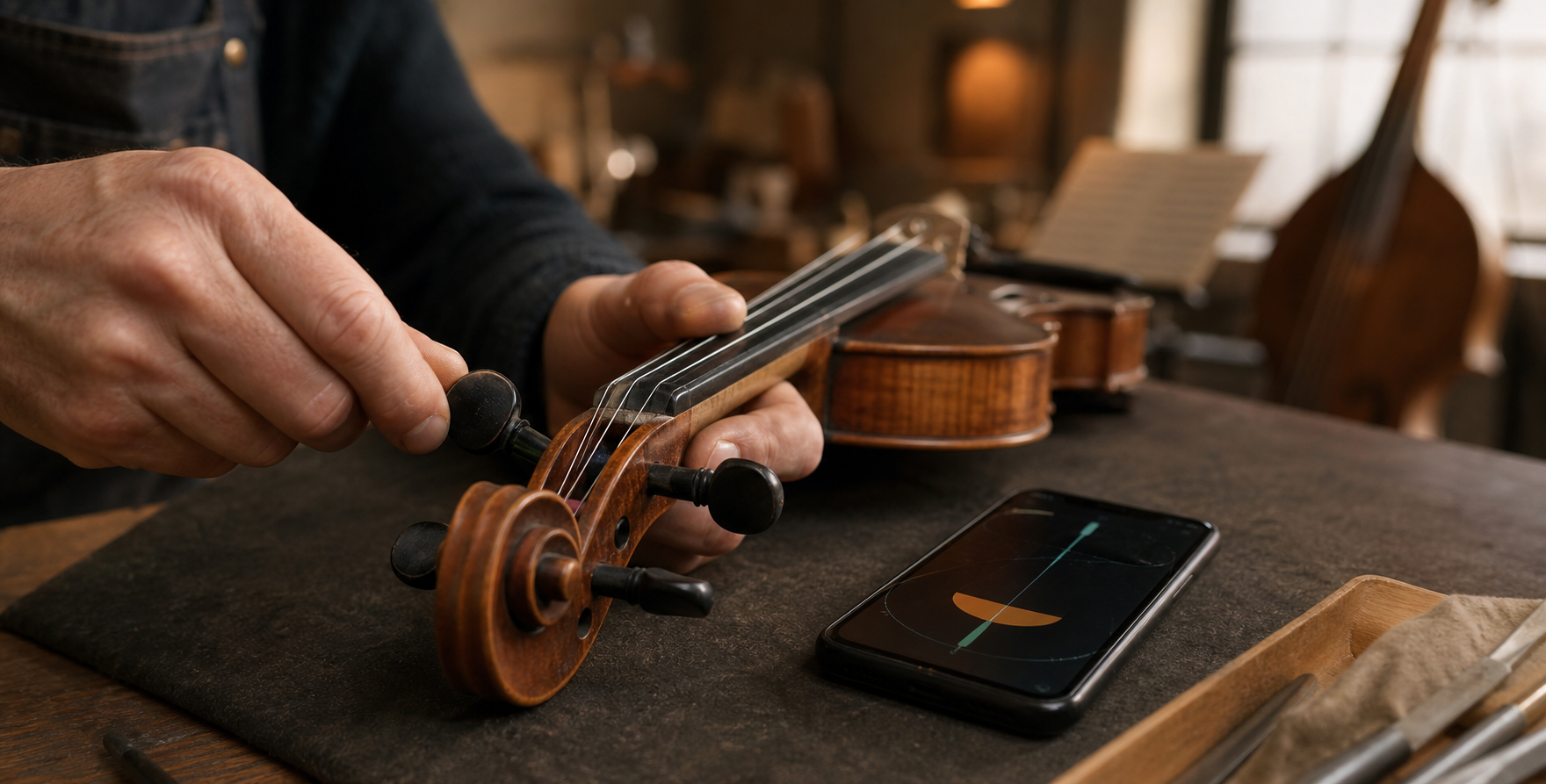
Short answer
For custom violin tuning during a quiet warm-up, do not tune directly from a screenshot at rehearsal speed. Confirm the group's reference pitch first, copy the chart into a clear low-to-high target list, check one bowed string at a time with TuneLT local microphone pitch detection, and listen for fifths, drones, or written scordatura notes before saving or sharing the preset.
The screenshot is not yet a tuning plan
A luthier may receive the custom violin tuning five minutes before the group enters: a phone screenshot from a composer, a cropped chart from an arrangement, or a message that shows note names without enough context. The room is still quiet, which makes this the right moment to slow down. The danger is not only a wrong peg turn. It is building a rehearsal around a tuning that was read from a small image too quickly.
Screenshots compress information. A staff line may be cropped, a sharp may sit close to a string label, and the image may show sounding pitch, written pitch, or a shorthand used by one ensemble. If the luthier treats that image as a final instruction, the violin can be technically in tune to the wrong map. The player then hears something strange, the group waits, and the error looks like a tuning problem instead of a reading problem.
The better habit is to convert the image into a short verified list before touching every string. Confirm the reference pitch with the group, read the string order from low to high, name the expected interval shape, and only then begin the quiet warm-up pass.
- Use the quiet room to read the chart slowly.
- Separate image interpretation from peg adjustment.
- Treat the first pass as verification, not performance prep.
Ask the reference-pitch question before the note-name question
Custom violin tuning can be correct on paper and still wrong in the ensemble if the reference pitch differs. One group may tune around A440, another may sit a little higher, and a period or folk context may use a deliberate reference that is not the default. A luthier who only copies note names from the screenshot can miss the pitch center that makes those notes belong to the room.
This is why the first question should be practical and spoken: what reference are we using today? If the answer is A440, say it back. If the answer is the piano, organ, accordion, drone box, or another fixed instrument, check that source before adjusting the violin. If the screenshot includes cents offsets or scordatura notes, confirm whether those offsets are relative to the same reference.
Once the reference is known, the screenshot becomes safer. A target note now means a real pitch in the rehearsal, not just a label on a phone image.
- Confirm A reference before copying the chart.
- Check fixed-pitch instruments when they define the room.
- Clarify whether cents offsets belong to the same reference.
Translate the screenshot into string order
The violin invites a simple low-to-high order: G, D, A, E in standard tuning. A custom violin tuning may keep the same physical order while changing one or more targets, or it may use written shorthand that only makes sense beside the score. Before opening any app, write or say the target for each string in physical order: fourth string, third string, second string, first string.
This low-to-high translation prevents two common mistakes. First, it catches octave confusion, especially when a note name repeats in the arrangement. Second, it exposes whether the screenshot is describing a retuned open string, a stopped note cue, or a passage reference. A luthier should not assume every note in the cropped image is an open-string target.
If the chart looks ambiguous, ask for one musical sentence: which open strings should ring before the tune starts? That question usually resolves more than another zoomed-in look at the screenshot.
- Read the targets in physical string order.
- Check octave placement before turning a peg.
- Distinguish open-string targets from passage notes.
Use TuneLT as the measured checkpoint
After the target list is clear, TuneLT can serve as the measured checkpoint. Choose violin, create or open the custom violin tuning preset, and enter the targets in the same low-to-high order you just confirmed. The app uses local microphone pitch detection for the tuning check, so the useful input is one clear bowed string at a time, not a room full of warm-up fragments.
Keep that product fact precise. The pitch check comes from the local microphone; other app services such as store, subscriptions, ads, analytics, platform services, or optional sharing may use network access. In this luthier workflow, the important distinction is that you can control the tuning signal by controlling the physical room: phone placement, muting, bow speed, and silence around the violin.
Once the preset reads correctly, save it with a name that includes the piece, ensemble, or session reference. If another player needs it, share only after the quiet check proves that the screenshot was interpreted correctly.
- Choose violin before entering custom targets.
- Use one sustained bowed string for each reading.
- Save or share the preset after verification, not before.
Listen for interval shape, not only centered notes
A custom tuning can look centered on a tuner and still feel suspicious under the bow. The reason is musical relationship. The open strings may form a fifth, fourth, drone shape, modal color, or scordatura sonority that the player recognizes by resonance. If each note is checked in isolation but the interval shape is wrong, the violin may sound organized on screen and confused in the room.
After the TuneLT pass, ask the player to bow the open strings that matter to the first entrance. Listen for beating, unexpected roughness, or a string that seems to pull against the reference. Small cent differences can be musically meaningful when a drone or double-stop exposes them. This is especially true in a quiet warm-up, where the ear catches relationships that a noisy rehearsal will hide.
The luthier's judgment sits between the chart and the player. The screen confirms pitch. The instrument confirms resonance. The group confirms whether that resonance belongs to today's reference.
- Check the open-string relationship after individual targets.
- Use drones or first-entrance notes as listening tests.
- Let resonance expose a copied-chart mistake.
What to do when the screenshot is hard to read
If the chart is blurry, cropped, or taken from a different device, do not compensate by tuning more aggressively. Make the reading problem explicit. Ask for the original chart, a typed note list, or confirmation from the arranger. If nobody can provide it, create a provisional preset and label it as provisional rather than letting it become the session standard.
There are a few quick checks that help. Compare the target notes with the first chord or drone in the part. Look for accidentals that may belong to key signature rather than string target. Ask whether the notation shows sounding pitch or written instruction. Check whether the chart assumes standard string names while only one string changes. These questions take less time than repairing a rehearsal after the wrong tuning spreads.
A luthier often protects the room by refusing false certainty. A clear 'this is the best provisional reading' is better than a confident preset copied from an unreadable image.
- Ask for typed targets when the image is ambiguous.
- Label uncertain presets as provisional.
- Cross-check the chart against the first musical entrance.
A quiet warm-up checklist for the luthier
Start before the ensemble sound builds. Confirm the reference pitch, then read the screenshot into a low-to-high target list. Check whether the notes are open-string targets, written reminders, or sounding-pitch instructions. Enter the targets into TuneLT under violin and use a clear bowed note for each string.
After the measured pass, ask for the short musical test: the drone, first entrance, or open-string pattern that proves the custom tuning in context. If the player hears roughness, revisit the target list before turning every peg again. If the reading and the musical test agree, save the preset with the piece name and reference pitch.
The checklist is intentionally conservative because the luthier's work often becomes the room's reference. A screenshot can start the process, but the final tuning should come from confirmed reference pitch, physical string order, a stable microphone reading, and the player's ear.
- Reference pitch confirmed with the group.
- Screenshot translated into low-to-high string order.
- TuneLT preset checked one bowed string at a time.
- First musical entrance or drone approved by ear.
- Preset saved or shared only after the quiet check.
Questions this guide answers
How should a luthier use a screenshot tuning chart for custom violin tuning?
Confirm the group's reference pitch first, translate the screenshot into a low-to-high open-string target list, then check each string with one clear bowed note. Do not treat the screenshot as final until the player also hears the expected interval or drone shape.
Why confirm reference pitch before entering a custom violin preset?
The same note names can sit at different pitch centers depending on the ensemble, fixed-pitch instrument, or historical context. Reference pitch turns the screenshot's labels into real targets for that rehearsal.
Can TuneLT help when a violin tuning chart is only in a screenshot?
Yes, after the chart has been interpreted. Choose violin, enter the custom targets in physical string order, and use TuneLT local microphone pitch detection on one sustained bowed string at a time before saving or sharing the preset.
What if the screenshot is too blurry to trust?
Ask for the original chart or typed targets. If that is not available, label the preset as provisional and cross-check it against the first musical entrance, drone, or open-string relationship before the group relies on it.