stage and rehearsal prep
Before the band arrives: share a custom cello tuning that keeps the low string honest
A rehearsal-prep checklist for cello students who need to share a custom cello tuning with a band, then prove the low string is stable before the room gets loud.
Short answer
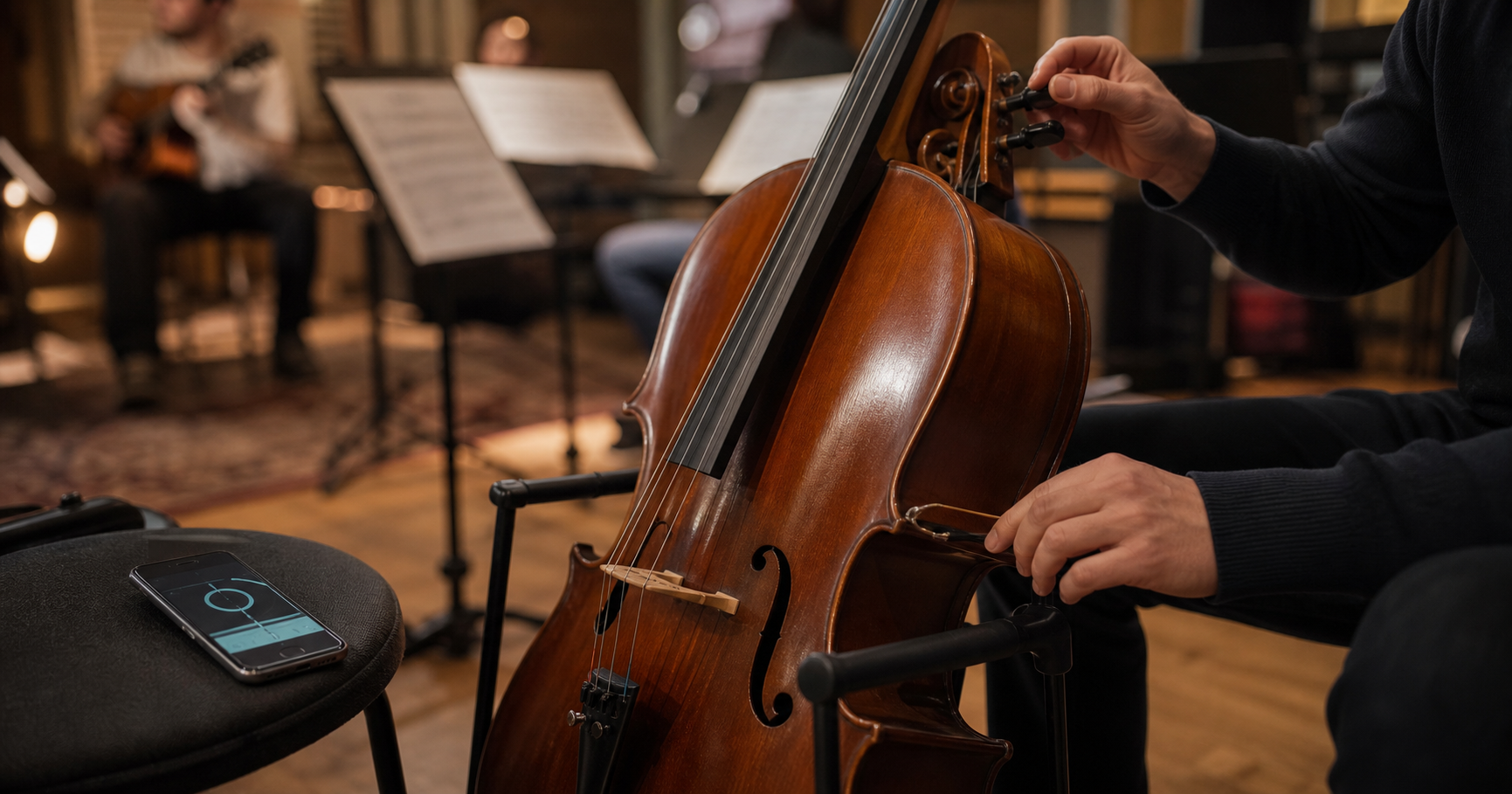
When sharing a custom cello tuning with a band, prepare the preset before the room gets loud: name the song, write the four cello targets in octave, save the tuning, and share the same target with the players who need it. If the low string feels unstable, do not keep turning the peg immediately. Move the phone closer to the cello, bow one steady middle-of-note sample, check peg and fine-tuner travel, then test the low string against the band's reference note or first entrance.
The preset has to be ready before the room gets loud
A student who brings a custom cello tuning into a band rehearsal has two jobs, not one. The first job is to tune the cello. The second is to make the instruction portable enough that a guitarist, keyboard player, teacher, section leader, or another cellist can understand the same target without asking for a private explanation at volume. That second job is usually where rehearsal time disappears.
A custom cello tuning can be as simple as one lowered string for a song, or as awkward as a full alternate setup written in a teacher's shorthand. In a quiet room, the player can experiment. In a band room, the target needs to be named before amps, drums, chatter, and warm-up fragments start masking the cello. If the low string already feels unstable, the wrong moment to invent the workflow is after everyone else is waiting.
Treat the preset like a rehearsal object. It should identify the song or set, the four open-string targets, the reference pitch if one has been given, and any spelling the band expects. That gives the student something to share and something to check. It also separates the written target from the separate question of whether the low string is behaving on the instrument.
Write the tuning in cello language, then band language
Cellists think from the instrument outward: low string, next string, next string, top string. Bandmates may think from chord symbols, keyboard notes, capo position, a track stem, or the name of a song file. A useful custom tuning note translates between those worlds. It says what the cello strings should be, but it also says why the band needs that setup.
Start with octave-specific open strings. Standard cello is C2, G2, D3, and A3. If the custom tuning moves one of those, write the new pitch with the string it replaces. If the low C string is lowered, raised, or retuned for a drone, write both the string and the destination. Do not rely on a phrase like low one down unless everyone in the room already knows the piece.
Then add the band-facing cue. Examples include song title, intro drone, keyboard reference, guitar tuning, backing track pitch, or teacher demo. That cue keeps the preset tied to a musical reason. A student is less likely to share the wrong tuning when the saved item says Song A low string to Bb1 for keyboard drone than when it says custom cello.
- Write low-to-high targets in octave.
- Include the song, set, or rehearsal cue.
- Spell enharmonic notes the way the chart or teacher uses them.
- Keep the custom target separate from the low-string stability diagnosis.
Use TuneLT for the target, not as the whole rehearsal plan
TuneLT fits the practical middle of this workflow. Choose cello, create or open the custom target, confirm the note names, and use local microphone pitch detection for the live tuning check. If the band or teacher needs the same setup, sharing through QR links, Universal Links, or Android App Links can keep devices pointed at the same tuning target instead of leaving everyone to retype it.
The app should not replace the musician's written context. A saved preset is strongest when it carries the exact target, while the rehearsal note explains where that target belongs in the music. OCR tuning scan can help capture a written instruction, and setlists can keep several custom tunings in order, but the student still needs to know which song, entrance, or section is being prepared.
Keep the privacy claim precise. TuneLT can use the local microphone for pitch detection, which matters when a student wants a quick check without a cloud analysis step. Other app services, including store access, subscriptions, ads, analytics, or platform features, may use network access. For this rehearsal problem, the important fact is simpler: the pitch reading and the shared target can live in a small, repeatable routine.
When the low string feels unstable, sample the note better first
The cello's lowest string is easy to misjudge in a rehearsal room. It speaks more slowly than the upper strings, throws more room energy into the floor and corners, and can be swallowed by bass, kick drum, keyboard left hand, and HVAC rumble. A tuner may look jumpy because the string is unstable, but it may also be hearing too much room.
Before moving the peg again, improve the sample. Put the phone close to the cello, away from the stand leg and speaker spill. Bow a sustained note with enough weight to speak but not so much pressure that the pitch bends sharp at the start. Ignore the first scrape and the dying tail. Read the center of the note. Repeat once with a slightly lighter bow. If those readings agree, the target is more trustworthy than the panic in the room.
This is especially important for students because bow pressure can masquerade as tuning trouble. A heavy attack can pull the beginning sharp. A nervous slow bow can let the pitch wander or collapse. A low string that looks unstable under one bow stroke may settle under a cleaner stroke, which means the first fix is playing setup and microphone placement, not hardware.
Separate hardware drift from ensemble mismatch
If the low string still will not settle, check the physical instrument before blaming the custom tuning. Look at peg movement, fine-tuner travel, bridge angle, recent string changes, string age, and whether the string is binding in the nut or bridge groove. A low string can feel unstable because it is actually moving, not because the player misunderstands cents.
Then check the band reference. The low string may be centered against the saved target and still feel wrong if the rehearsal source is different from the home source. A keyboard may be tuned to a different reference, a recording may run slightly off, a guitar may be capoed or detuned, or the song may use a drone that asks the cello to lean by ear after the open string is set.
Use one reference at a time. Ask for the keyboard note, backing track pitch, guitar low note, drone, or teacher reference that matters. Play the low string against that source and listen for beating or roughness. If the open string agrees with the preset but fights the source, the group needs to choose the reference. If it fights both the preset and the source, the cello setup or bow sample still needs work.
- Hardware question: is the string physically moving after it is tuned?
- Reference question: is the band using the same pitch source as the preset?
- Technique question: is the bow sample bending the pitch?
- Arrangement question: is another low part masking or beating against the cello?
A two-minute sharing checklist for students
The best rehearsal checklist is short enough to use while other people are unpacking. First, open the saved custom cello tuning and read the four targets out loud or silently from low to high. Second, confirm the reference pitch or band source if the piece depends on one. Third, share the preset before the room reaches full volume, so any other player or teacher can check the same target.
Fourth, tune the open strings with the phone close to the cello. Give the low string the most patient sample because it is the easiest one for the room to smear. Fifth, play the first entrance, drone, or exposed low note with the band reference. The goal is not to keep the screen perfect forever. The goal is to prove that the written tuning works in the music.
If something fails, name the failure. Wrong note name, wrong octave, unstable peg, noisy sample, different reference, or rough ensemble blend are different problems. Saying the low string feels unstable is a useful start, but the checklist should turn that feeling into the next action.
Use the final check as music, not another private tuning loop
Once the preset has been shared and the low string has a stable sample, the final proof should be musical. Play the first entrance. Hold the drone against the keyboard. Match the bass note that anchors the verse. If the low string is correct in isolation but rough in the song, the next fix may be left-hand intonation, dynamics, octave choice, or another player's tuning.
This matters for students because a tuner can become a hiding place. It is easy to keep retuning the open string instead of asking whether the custom tuning actually serves the band texture. A good stage-prep routine gets the screen out of the way quickly, then moves the ear toward the arrangement.
The practical goal is confidence, not perfection theater. The band gets one clear custom cello target. The student gets a calmer low-string check. The teacher or leader gets a way to correct the reference without rebuilding the whole setup. That is enough to start rehearsal with less guessing and more listening.
Questions this guide answers
How should a student share a custom cello tuning with a band?
Write the cello targets from low to high with octaves, save the custom tuning as a preset, add the song or rehearsal cue, and share the same target before the room gets loud. The receiving player should still confirm instrument, octave, and reference pitch before tuning.
Why does the low cello string feel unstable in rehearsal?
The low string may be physically drifting, but the room can also confuse the reading. Bass, drums, keyboard lows, HVAC rumble, phone distance, and heavy bow pressure can make the tuner jump. Move the phone closer, bow a steady middle-of-note sample, then check peg, fine tuner, string age, and the band's reference pitch.
Can TuneLT help share a cello tuning with another player?
Yes. TuneLT supports cello tuning targets, presets, setlists, OCR tuning scan, QR sharing, Universal Links, and Android App Links. Use those sharing tools for the tuning target, then verify the musical context with the band or teacher.
Should the low string be retuned if it sounds rough against the band?
Not immediately. First confirm the saved target and get a clean tuner sample. Then compare the low string with the band's reference note or first entrance. If the open string is centered but the music still sounds rough, the issue may be reference pitch, left-hand intonation, masking, or arrangement balance.